Python Basics
Picture-based revision — GCSE Computer Science · Programming
Order matters
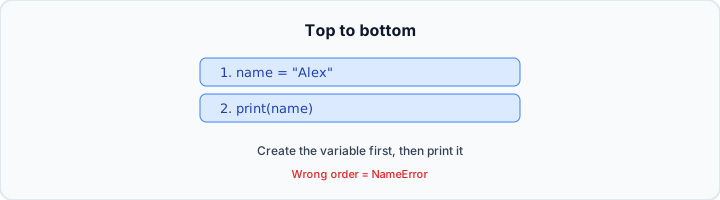
Python runs your code from top to bottom, one line at a time — like following a recipe. Line 1 runs first, then line 2, then line 3. Swap the order and you can get a completely different result (or an error).
Classic trap: using a variable before you create it. If you print(name) before name = "Alex", Python does not know what name is yet. Always create the box (assign the value) before you use it.
Exam tip: when a question shows the same lines in different orders, read top to bottom and ask: "Would this actually work?" Order is part of the program.
print()

print() shows a message on the screen. You write print, then brackets, then what you want to show. Example: print("Hello") displays Hello when you run the program.
Text goes inside quote marks (single or double). The quotes tell Python: this is text — show it exactly. Without quotes on text, Python gets confused.
Each print() usually goes on its own line. Two print() calls in a row give two lines of output. Run: print("A") then print("B") and the screen shows A on line 1 and B on line 2.
Numbers and maths
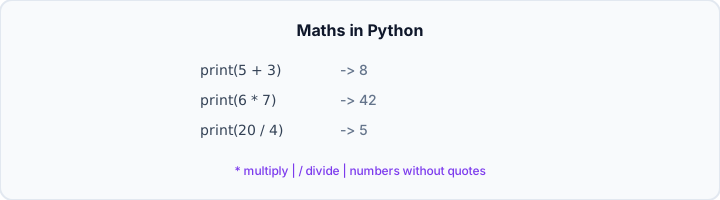
Python can calculate like a calculator. Numbers go inside print() without quotes: print(5 + 3) shows 8, not the words "5 + 3". Quotes are for text; numbers stand alone.
The four operations: + add, − subtract, * multiply (star, not ×), / divide (slash, not ÷). Python works out the maths first, then prints the answer.
Trap: print("2 + 3") shows the text 2 + 3 because of the quotes. print(2 + 3) shows 5 because Python does the addition.
Variables
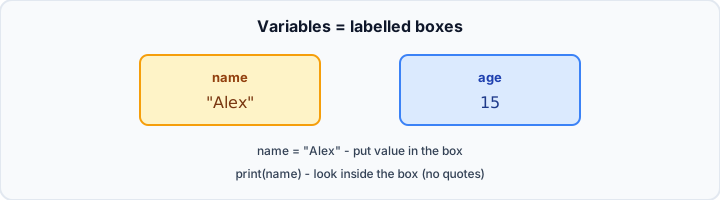
A variable is a labelled box. name = "Alex" creates a box called name and stores Alex inside. age = 15 stores the number 15 in a box called age.
When you use a variable later — print(name) — Python looks up the box and prints what is inside. No quotes around the variable name: print(name) not print("name").
In Python, = does not mean "equals" like in maths. It means: put the value on the right into the box on the left. You can change a box: x = 10 then x = 20 leaves x as 20.
Strings (text)
A string is Python's word for text. Anything in quotes is a string: "Hello", "a", or a whole sentence. Words need quotes; plain numbers usually do not.
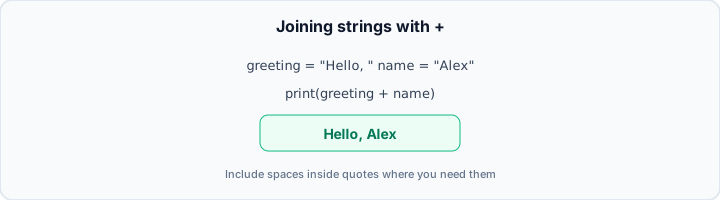
You can join strings with + (concatenation). greeting = "Hello, " and name = "Alex" then print(greeting + name) shows Hello, Alex. Include spaces inside the quotes where you need them.
Trap: "Hello," + "Alex" gives Hello,Alex with no space. Use "Hello, " with a space after the comma if you want Hello, Alex.
input()
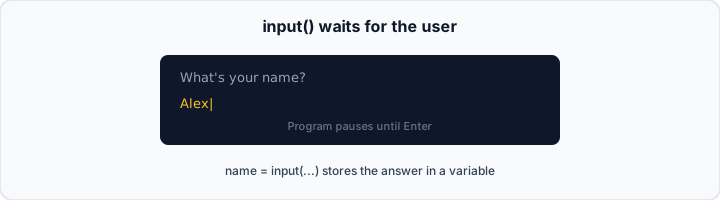
input() asks the user a question and waits for them to type an answer. Example: name = input("What's your name? ") shows the question, pauses until they press Enter, then stores what they typed in name.
input() always gives you text (a string), even if the user types digits. To treat input as a number you wrap it, e.g. age = int(input("Age? ")) — you will meet int again in Data Types.
Order matters: ask first, then use the answer. name = input(...) must come before print("Hi " + name).
if / else decisions
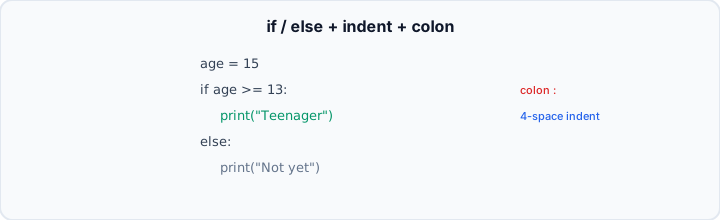
if lets your program choose what to do. if age >= 13: means "if age is at least 13, then do the indented lines below." >= means greater than or equal to (two symbols: > and =).
Two rules beginners forget: (1) put a colon : at the end of the if line; (2) indent the next line (usually four spaces) so Python knows it belongs to the if.
else runs when the if was false. Example: if score >= 50: print("Pass") else: print("Fail"). Only one branch runs — not both.
Reading code (tracing)
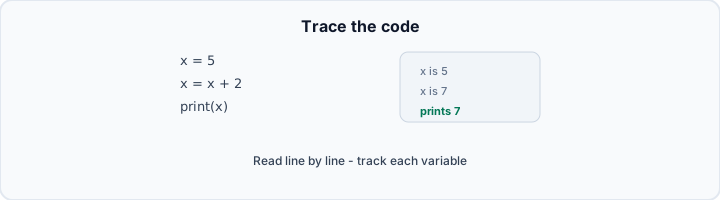
Tracing means reading code line by line and working out what the screen will show — without running it. Follow order, track what is in each variable, and remember each print() is usually a new line.
Example: x = 5 then x = x + 2 then print(x). After the first line x is 5; after the second x is 7; print shows 7.
When you spot a bug, ask: wrong order? missing quotes? missing colon on if? wrong indent? These cause most beginner errors.
Putting it together
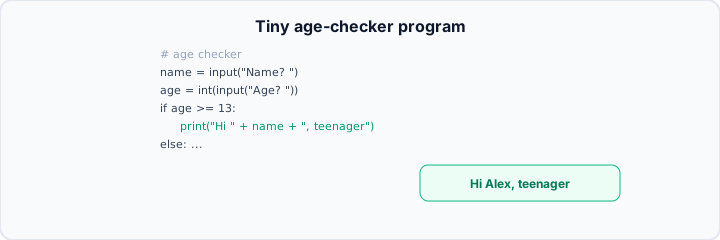
A small real program combines everything: comments, input, variables, if/else, string joining, and print. The classroom age-checker is a good model — ask name and age, then print a different message depending on age.
Build programs in layers: get input → store in variables → decide with if/else → print a message. Fix one line at a time if something breaks.
You have the foundation. Arrays, loops, and more Python come in later topics — they all sit on print, variables, input, and decisions.
Comments (#)
A comment starts with #. Python ignores everything after # on that line. Comments are notes for humans — they do not affect what the program does.
Example: # ask for the user's name on the line above name = input(...). Future you (and examiners) will thank you for short, clear comments.